오슬로 › 남서쪽: Pipervika - Kavringen - Hovedøya - Lindøya - Nakholmen

Flag of 노르웨이 오슬로, 노르웨이

오슬로, 노르웨이
New (0)
Real-Time Environment
Loading...
Fetching weather km/h
--:--
Loading date...

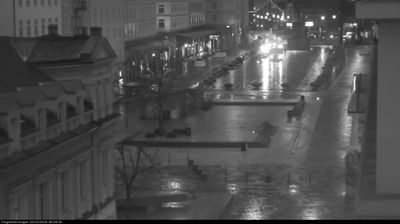
Welcome to the live streaming webcam for 오슬로 › 남서쪽: Pipervika - Kavringen - Hovedøya - Lindøya - Nakholmen, perfectly situated in the vibrant region of 오슬로, 노르웨이. Watching this live camera allows you to instantly experience the local atmosphere and monitor current climate conditions.


오슬로

About 오슬로

오슬로(Oslo)는 노르웨이의 남부 해안에 있는 도시이자 노르웨이의 수도이다. 1048년에 바이킹 왕 하랄드 3세에 의해 건설되었다. 13세기 호콘 5세에 의하여 수도로 정해져 한자 동맹의 항구로서 번영했다. 1624년에 일어난 대화재 후에 재건되었으며 그 당시의 덴마크 왕 크리스티안 4세에 의하여 크리스티아니아(Christiania 또는 Kristiania)라고 명명되었으나, 20세기에 이르러 오슬로란 본래의 명칭으로 환원되었다. 도시의 크기는 남북 약 40km, 동서 약 20km로, 전체 면적이 매우 넓다. 도시 안에는 녹지와 숲, 공원이 많은 부분을 차지하며, 또 피오르가 들어와 있어 경치가 아름답다. 성 홀바르드를 수호성인으로 하고 있으며, 휘장에서 화살 세 개를 쥐고 있는 남자가 바로 홀바르드이다.

📖 Read more on Wikipedia
📍 Location Facts
  • Country Flag 노르웨이
  • Region 오슬로
  • City 오슬로
  • Coordinates 59.9118°N, 10.7334°E

Have you been to 오슬로?

Help the community! Share your experience, tell us about the weather, or upload your own photos from this exact location.
Interests 항구 날씨
Added: Jun 03, 2026 Updated: Live

Explore other categories in 노르웨이


More Webcams in 노르웨이

Frequently Asked Questions

Webcam.beer is a premium global directory of live streaming webcams. We curate and index thousands of real-time cameras from around the world, allowing you to instantly check weather conditions, explore famous tourist spots, view city traffic, and discover beautiful landscapes all in one place.

Yes! The vast majority of the cameras in our network are real-time, live video streams. Some remote or scientific cameras may provide frequently updated high-resolution imagery due to bandwidth constraints in those specific locations.

Absolutely. Browsing, watching, and exploring the webcams on our platform is 100% free. You do not need to pay or create an account to view the live streams.

We love community contributions! You can easily submit a live stream by clicking the 'Add Cam' button in the main menu. Once submitted, our moderation team will review the camera to ensure it meets our quality and safety guidelines before it goes live on the platform.